
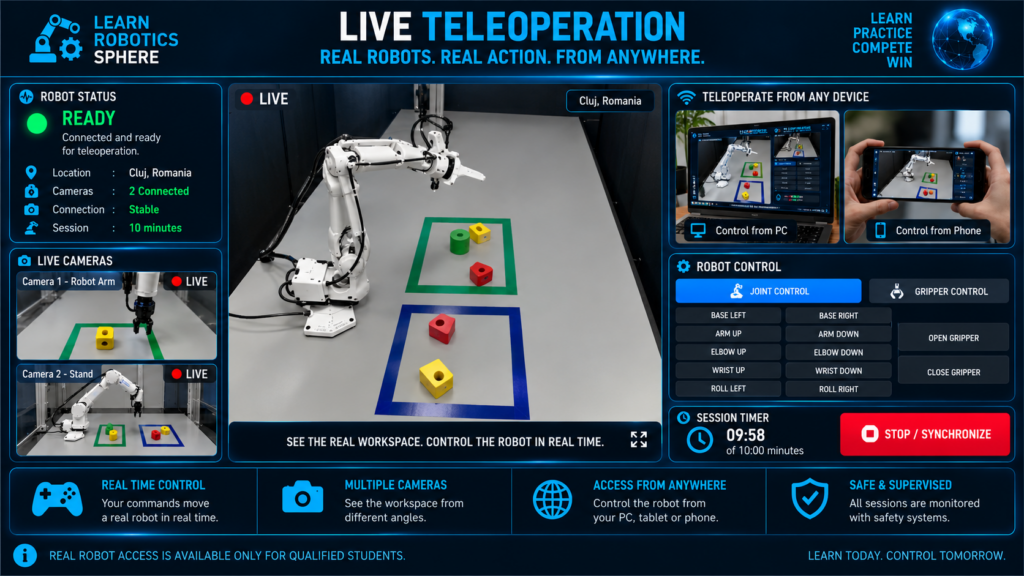
Control a Real Robot in Real Time
Your commands are transmitted to a physical robot and executed in the real workspace.
During your scheduled session, you will connect remotely to a real robotic arm and control it from your PC, tablet or smartphone.
The Live Teleoperation interface provides:
- Live camera views — see the robot and workspace from multiple angles
- Robot controls — move the robotic arm using joint or Cartesian controls
- Gripper control — open and close the gripper to manipulate real objects
- Session timer — monitor the remaining time in your 10-minute session
- Connection status — verify that the robot and cameras are online
- Emergency Stop — immediately stop the robot whenever necessary
Every command you send produces a real movement on the physical robot.
Only qualified students with a simulator final score of at least 80/100 can access Live Teleoperation.
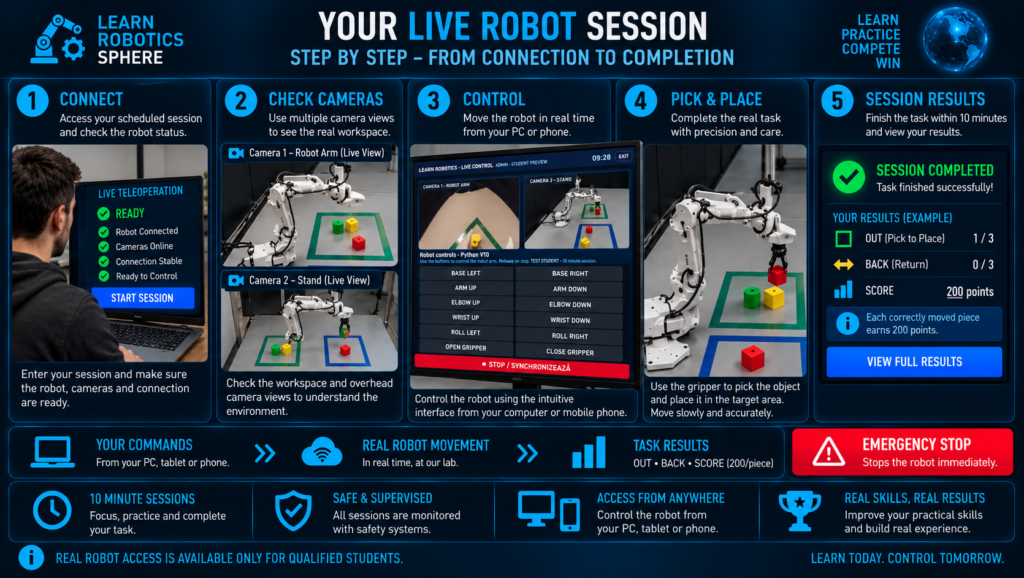
The following steps show how a Live Teleoperation session works — from connecting to the real robot and checking the camera views to completing the task and receiving your performance score.
Your Live Robot Session — Step by Step
Your real robot session follows five simple stages:
- Connect — join your scheduled session and verify that the robot, cameras and connection are ready.
- Check Cameras — inspect the workspace using the available live camera views.
- Control — move the robot carefully from your PC, tablet or smartphone.
- Complete the Task — use the gripper to pick up the object and place it in the target area.
- Finish & Score — complete the task and receive your performance results.
Your performance is measured using:
Time • Precision • Safety
At any moment, Emergency Stop can be used to stop the robot immediately.
Live Teleoperation
Please sign in to your Learn Robotics student account to check your reservation.